Public Beta -- macOS
Grimoire Obsidian's power, none of the plugin roulette
Wikilinks, backlinks, full-text search, and a knowledge graph -- built into the editor, not assembled from a plugin folder that breaks on every update. Your notes stay on your machine as plain Markdown files. Always.
grim·wahr /ɡrɪmˈwɑːr/
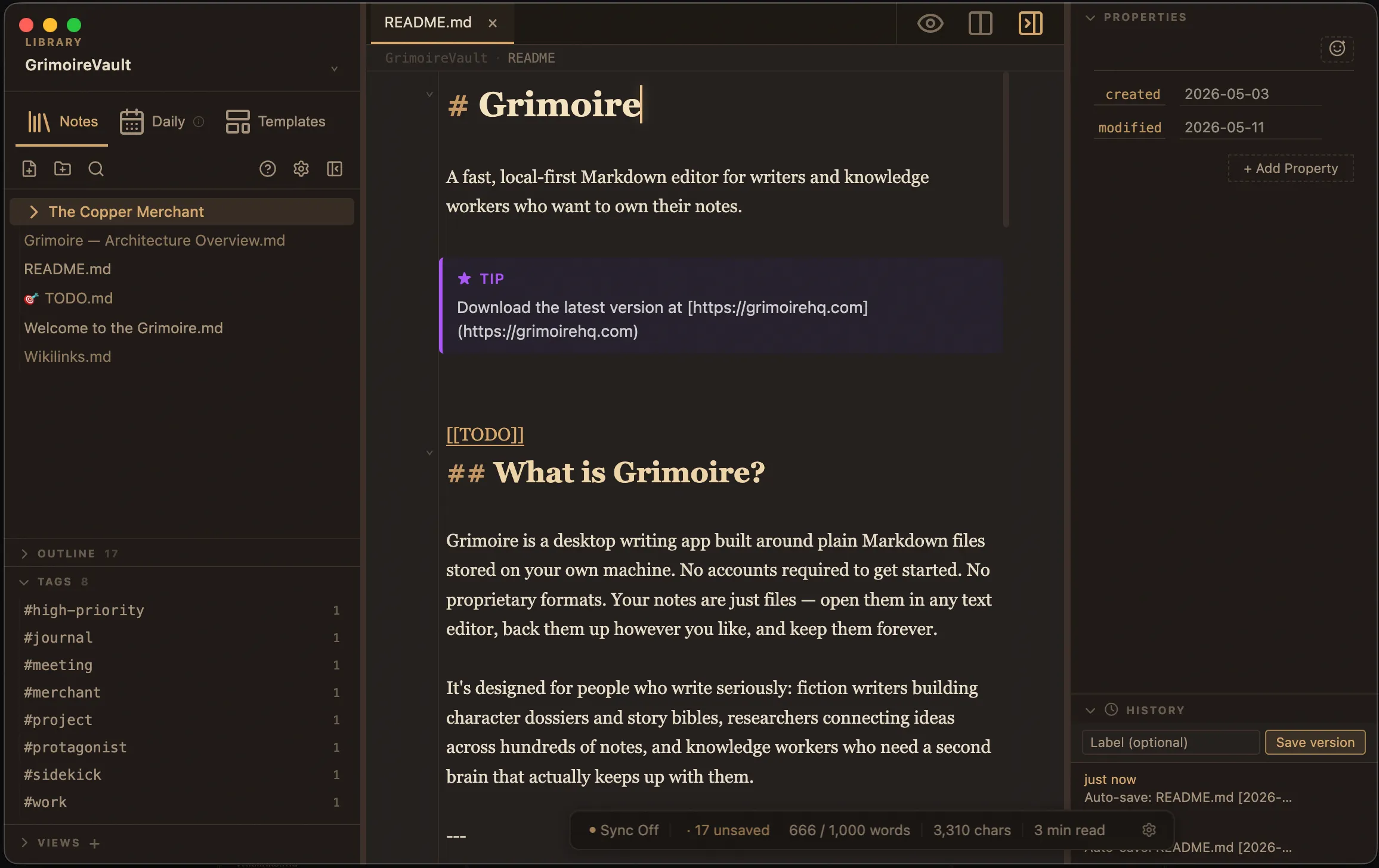
What's inside
Local First
Your vault lives on your machine as plain Markdown files. No account, no server, no subscription required to write.
Wikilinks & Backlinks
Link notes with [[note name]] syntax. Every link is tracked bidirectionally, so each note knows what references it.
Built for Claude
A first-party MCP plugin connects Claude Desktop straight to your vault -- search, read, and write notes without your files leaving your machine.
Full-Text Search
Find anything across your entire vault instantly. Search by filename, content, tags, or wikilink references.
Split Panes & Tabs
Work on two notes side by side, or open a live preview alongside your editor. Every tab keeps its own cursor and scroll state.
Knowledge Graph
Visualize the connections between your notes. See clusters form as your thinking develops.
AI Integration
Built for working with Claude
Grimoire ships a first-party MCP plugin -- not a community add-on -- that gives Claude Desktop direct access to your vault. Search notes, read and write files, follow backlinks -- without leaving the conversation, and without your vault leaving your machine.
A grimoire is a book of collected knowledge -- spells, observations, secrets accumulated over time. Your notes deserve to be treated the same way.
Pricing
The editor is free forever. Pro is for one thing: sync that's built into the editor -- not bolted on through a plugin -- so your vault arrives intact on every device.
Free
$0
- Unlimited notes & vaults
- Wikilinks & backlinks
- Full-text search & knowledge graph
- Split panes & tabs
- Local storage only
Pro -- Reliable Sync
$5 / month or $48 / year
- Everything in Free
- Sync built into the editor -- no plugin required
- Conflict-free across all your devices
- Version history for every note
- Priority support
Subscribe from within the app after downloading.
No conflict copies. No sync plugin to babysit. Full pricing details →
Common questions
- What is Grimoire?
Grimoire is a local-first Markdown editor for macOS, built for writers, researchers, and knowledge workers. It stores your notes as plain Markdown files on your own machine and adds wikilinks, backlinks, full-text search, split panes, tabs, and a knowledge graph on top.
- Is Grimoire free?
Yes. The editor is free to download and use -- unlimited notes and vaults, wikilinks, backlinks, search, the knowledge graph, split panes, and tabs, with no account required. Grimoire Pro ($5/month or $48/year) adds optional cloud sync across devices, version history, and priority support.
- Where are my notes stored?
On your device, as plain Markdown files in a folder you choose (your vault). Grimoire works fully offline and never sends your notes anywhere unless you explicitly enable the optional Sync service.
- What file format does Grimoire use?
Standard Markdown (
.md) files in ordinary folders. There is no proprietary database and no lock-in -- you can open, edit, back up, or migrate your notes with any other tool at any time.- Does Grimoire work with Claude or other AI assistants?
Yes. The free Grimoire MCP plugin connects your vault to Claude Desktop via the Model Context Protocol. Claude can search your notes, read and write files, and follow backlinks -- while your vault stays on your machine. See the Claude & MCP page for details.
- What platforms does Grimoire run on?
Grimoire runs on macOS 13 or later, with native builds for both Apple Silicon and Intel Macs. It is currently in public beta.
Stay in the Loop
Get notified when new versions ship.